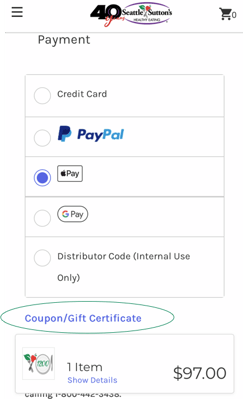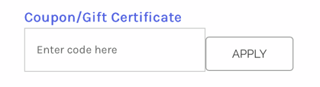
At Checkout you are able to redeem either a coupon code or gift certificate in the same spot.
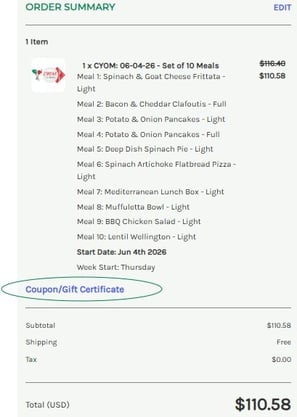
On Desktop Version - In the green Order Summary section on the right hand side, under your item(s), select Coupon/Gift Certificate - This will open a field to enter the Coupon or Gift Certificate. Make sure you enter the Coupon Code or Gift Certicate as indicated in your email. Click Apply.

On Mobile Version - Under the Payment Section, select Coupon/Gift Certificate. This will open a field to enter the Coupon or Gift Certificate. Make sure you enter the Coupon Code or Gift Certicate as indicated in your email. Click Apply.